Portable typing tutor offering customizable lessons, finger guidance, and detailed statistics to boost accuracy
Portable typing tutor offering customizable lessons, finger guidance, and detailed statistics to boost accuracy
Vote (36 votes)
Program license Free
Developer Typing Tutor Labs
Version 5.4
Works under Windows
Vote
(36 votes)
Developer
Typing Tutor Labs
Works under
Windows
Program license
Free
Version
5.4
Pros
- No installation required—completely portable
- Supports multiple languages and keyboard layouts
- Comprehensive progress tracking and statistics
- Custom lesson creation for targeted practice
- Operates efficiently on low-spec and older PCs
Cons
- Default interface may be visually overwhelming
- Included lessons can be somewhat basic
- No advanced practice mode out-of-the-box
- Limited to typing instruction—no additional productivity tools
A flexible, beginner-friendly typing tutor designed for on-the-go learning.
Overview
RapidTyping Portable is a free application for Windows that provides typing lessons and exercises aimed at improving accuracy and speed. With its portable design, this software can be launched directly from a USB drive or external storage, making it convenient for multiple users or those who need to practice without installation.
Key Features
RapidTyping Portable offers a broad set of tools to help users develop touch-typing skills. The program features interactive lessons targeting specific rows and keys, with visual guidance showing which finger to use for each keystroke. Performance statistics at the end of each session help users monitor progress in real time.
The application supports multiple languages and keyboard layouts—including advanced support for languages requiring BiDi (bidirectional) text, such as Arabic and Hebrew. Users can choose from pre-set courses or design customized lessons. This makes the software suitable for both new learners and those looking to further hone their technique with personal materials.
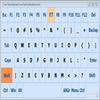
A virtual on-screen keyboard serves as an aid, showing hand positions and highlighting active keys as users practice. Lessons can be tailored in difficulty and complexity—ranging from individual letters to complex words and sentences—offering scalable learning paths as users advance.
User Experience
RapidTyping Portable presents a colorful, animated interface, which may appeal to younger users but could be distracting during extended practice sessions. Fortunately, there is an option to turn off backgrounds and animations, resulting in a cleaner and more focused experience. Navigating the menu and customizing lessons is straightforward, with clear visual cues and intuitive controls.
Progress reports display detailed metrics such as accuracy, words per minute (WPM), and common mistakes. This data-driven approach allows learners to identify areas that need additional attention.
Customization and Flexibility
A standout feature is the robust lesson editor. Users can create, modify, or import their own exercises, adjusting font, size, and content to match personal or classroom learning goals. The program’s multilingual support, including updated courses for languages like Arabic and English, makes it useful in diverse educational settings.
Because it is portable, RapidTyping leaves no residue in system files or the registry, ensuring privacy and compatibility with shared or public computers. This makes it an appealing option for students, educators, and professionals looking to reinforce their typing skills outside their primary device.
Performance
The application runs efficiently, even on older Windows versions, and occupies minimal system resources. The virtual keyboard adapts well to different screen sizes, and recent updates improve support for wide-screen monitors.
Conclusion
RapidTyping Portable is a practical tool for anyone seeking to improve their typing proficiency. Its customizable lessons, broad language support, and portability provide versatility unmatched by many similar applications. While the interface may be initially distracting for some users, the ability to focus the workspace makes it suitable for all ages and skill levels.
Pros
- No installation required—completely portable
- Supports multiple languages and keyboard layouts
- Comprehensive progress tracking and statistics
- Custom lesson creation for targeted practice
- Operates efficiently on low-spec and older PCs
Cons
- Default interface may be visually overwhelming
- Included lessons can be somewhat basic
- No advanced practice mode out-of-the-box
- Limited to typing instruction—no additional productivity tools